Process model to governed engineering package
This guide explains the complete workflow from a converged NeqSim process simulation to a coordinated, validated engineering package. The workflow is intended for concept selection, feasibility studies, pre-FEED and controlled engineering automation. It is not a substitute for accountable discipline approval, vendor design or construction issue. Generated artifacts remain explicitly not fit for construction until the project’s controlled review and approval process is complete.
The main entry point is EngineeringDeliverableCompiler. It combines the simulation, controlled engineering inputs,
design cases and standards references into one canonical graph and a set of mutually consistent deliverables.
flowchart TD
    A["ProcessSystem or ProcessModel"] --> B["EngineeringProject"]
    B --> C["Design cases and calculations"]
    C --> D["Canonical engineering graph"]
    D --> E["Registers and discipline package"]
    D --> F["DEXPI 2.0 and Proteus P&IDs"]
    E --> G["Schema and package validation"]
    F --> G
    G --> H["Review, approval and revision control"]
What is automated
NeqSim can automate the following work from simulation and controlled project inputs:
- stable equipment, stream, line, instrument, port, nozzle, boundary and document identities;
- physical, process-flow, signal-flow and dependency topology;
- operating points and multi-case governing design envelopes;
- standards-referenced calculation records and calculation dependencies;
- equipment, line and instrument registers;
- process, mechanical, piping, instrumentation/automation and process-safety handoffs;
- native DEXPI 2.0, Proteus 4.1.1 and pyDEXPI-compatible P&ID representations;
- internal DEXPI export/reimport identity and reference qualification;
- revision impact, accountable approval history and revalidation flags;
- bounded automation-study definitions with objectives, constraints and safe execution boundaries;
- JSON Schema, manifest inventory and cross-artifact validation.
The compiler intentionally does not invent HAZOP/LOPA conclusions, vendor limits, final SIL architecture, piping stress
acceptance, materials selection or construction approval. Missing controlled information remains visible as a finding,
readiness gap or REVIEW_REQUIRED state.
1. Build and converge the process model
Create a normal NeqSim ProcessSystem. Use stable engineering tags as unit names because these become external keys in
the canonical graph and exchange documents.
SystemInterface fluid = new SystemSrkEos(303.15, 55.0);
fluid.addComponent("methane", 0.90);
fluid.addComponent("ethane", 0.07);
fluid.addComponent("propane", 0.03);
fluid.setMixingRule("classic");

Stream feed = new Stream("20-FEED-001", fluid);
feed.setFlowRate(0.50, "MSm3/day");
Separator separator = new Separator("20-VG-001", feed);
Compressor compressor = new Compressor("20-KA-001", separator.getGasOutStream());
compressor.setOutletPressure(100.0, "bara");

ProcessSystem process = new ProcessSystem("Gas compression and export");
process.add(feed);
process.add(separator);
process.add(compressor);
process.connect("20-FEED-001", "outlet", "20-VG-001", "inlet",
    ProcessConnection.ConnectionType.MATERIAL);
process.run();
Use explicit ProcessConnection records where possible. They give the engineering graph and P&ID exporter named
ports, material/signal/energy semantics and stronger topology validation than topology inferred only from stream object
references.
2. Create the governed engineering project
The NORSOK offshore builder adds a design basis, applicable standards and deterministic control/safeguarding proposals. Set a persistent project ID and controlled revision.
EngineeringProject project = NorsokOffshoreEngineeringBuilder
    .from("Gas compression engineering", process)
    .projectId("PROJECT-GAS-20")
    .registerProposedInstruments(true)
    .build()
    .setRevision("A");
The builder is a proposal engine. Generated requirements remain review-gated. Project-specific line-list rows, design conditions, relief scenarios, materials data, trip bases and evidence references should be added before package issue.
3. Add executable design cases
Each design case runs on an isolated ProcessSystem.copy(). Cases can be required or optional, grouped, prioritized and
disabled without deleting their controlled definition.
project.addDesignCase(new EngineeringDesignCase(
    "CASE-MAXIMUM", "Maximum production", EngineeringDesignCase.Type.MAXIMUM_PRODUCTION,
    candidate -> {
      Stream candidateFeed = (Stream) candidate.getUnit("20-FEED-001");
      candidateFeed.setPressure(75.0, "bara");
    })
    .setCaseGroup("OPERATING-ENVELOPE")
    .setPriority(20)
    .addEvidenceReference("PROCESS-DESIGN-BASIS-REV-A"));

project.addEngineeringMetric(
    EngineeringMetric.equipmentPressure("20-VG-001")
        .setAcceptanceRange(null, 70.0));
project.addEngineeringMetric(
    EngineeringMetric.equipmentInletMassFlow("20-VG-001"));
The design-case matrix distinguishes solver failures, isolated metric failures, skipped optional cases and acceptance limit violations. A metric failure does not discard the other successfully evaluated metrics from that case.
4. Register standards-aware engineering calculations
Calculations form a directed acyclic graph. Explicit dependencies prevent a downstream review from being shown as ready when an upstream basis is missing, blocked or failed.
String separatorNode = EngineeringIds.nodeId(EngineeringNode.Kind.EQUIPMENT, "20-VG-001");

EngineeringCalculation reliefBasis = new EngineeringCalculation(
    "20-VG-001-RELIEF-BASIS", separatorNode, "Maximum credible relief pressure basis")
    .setStatus(EngineeringCalculation.Status.CALCULATED)
    .setResult(75.0, "bara")
    .setStandardsRequired(true)
    .addStandardReference(new EngineeringCalculation.StandardReference(
        "API 521", "2020", "4.4", "Credible overpressure scenario"))
    .addEvidenceReference("PROCESS-DESIGN-BASIS-REV-A");

EngineeringCalculation reliefReview = new EngineeringCalculation(
    "20-VG-001-RELIEF-REVIEW", separatorNode, "Relief protection review")
    .dependsOnCalculation("20-VG-001-RELIEF-BASIS")
    .setStandardsRequired(true)
    .addStandardReference(new EngineeringCalculation.StandardReference(
        "API 520 Part I", "2020", "5", "Device sizing and selection"));

project.addCalculation(reliefBasis).addCalculation(reliefReview);
Readiness includes READY, dependency-blocked, standards-blocked, explicitly blocked, failed and complete states.
Standards-required completed calculations without a controlled standards basis are package-validation errors.
5. Add accountable approvals
Approval records bind a discipline decision to a stable graph object. Approved or rejected decisions require the reviewer, controlled review reference and effective date.
project.addApprovalRecord(new EngineeringApprovalRecord(
    "APPROVAL-20-VG-001-PROCESS",
    separatorNode,
    "PROCESS",
    EngineeringApprovalRecord.Status.APPROVED,
    "Accountable Process Engineer",
    "PROCESS-DESIGN-REVIEW-001",
    "2026-07-16"));
A later record may call .supersedes(previousRecordId). When a baseline graph is supplied, any effective approval whose
subject is revision-impacted becomes REVALIDATION_REQUIRED. The history is retained; no previous decision is silently
overwritten.
6. Define governed automation studies
Automation studies connect bounded variables to canonical graph nodes and process-model addresses. Objectives and constraints reference design-case metrics.
String feedNode = EngineeringIds.nodeId(EngineeringNode.Kind.LINE, "20-FEED-001");

project.addAutomationStudy(new EngineeringAutomationStudy(
    "STUDY-PRODUCTION-ENVELOPE", "Bounded production-envelope screening")
    .addDecisionVariable(new EngineeringAutomationStudy.DecisionVariable(
        "FEED-PRESSURE", feedNode, "20-FEED-001.pressure",
        45.0, 75.0, 55.0, "bara").setScreeningLevels(7))
    .addObjective(new EngineeringAutomationStudy.Objective(
        "MAXIMIZE-INLET-FLOW", "20-VG-001.inletMassFlow",
        EngineeringAutomationStudy.ObjectiveSense.MAXIMIZE, 1.0))
    .addConstraint(new EngineeringAutomationStudy.Constraint(
        "SEPARATOR-PRESSURE-LIMIT", "20-VG-001.pressure",
        null, 70.0, "bara",
        EngineeringAutomationStudy.ConstraintSeverity.HARD,
        "PROCESS-DESIGN-BASIS-REV-A")));
The output plan lists compatible NeqSim optimization/sensitivity engines and evaluates baseline constraint status. Its execution boundary requires isolated process copies, forbids automatic plant change and requires review before a result is adopted into the design.
7. Compile and validate the complete package
Path output = Paths.get("build/engineering-package");
EngineeringDeliverableCompiler.CompilationResult compiled =
    EngineeringDeliverableCompiler.compile(project, output);

if (!compiled.getValidationReport().isValid()) {
  throw new IllegalStateException(compiled.getValidationReport().toJson());
}
To compare revisions, retain the previous canonical graph and pass it as the third argument:
EngineeringGraph baseline = EngineeringGraph.read(
    Paths.get("controlled/revision-a/engineering-model.json"));
project.setRevision("B");
EngineeringDeliverableCompiler.compile(
    project, Paths.get("build/revision-b"), baseline);
Deliverable inventory
| Artifact | Engineering purpose |
|---|---|
engineering-model.json |
Canonical typed graph, provenance and stable fingerprint |
engineering-connectivity.json |
Physical/process/signal/energy topology view |
engineering-calculation-dag.json |
Calculation order, dependencies, standards and readiness |
engineering-design-case-matrix.json |
Case/metric coverage, failures, limits and governing values |
design-case-envelope.json |
Compact governing-value handoff |
engineering-discipline-package.json |
Process, mechanical, piping, automation and safety review index |
equipment-register.json |
Simulation and governing equipment data |
line-register.json |
Controlled line-list data and hydraulic references |
instrument-register.json |
Instruments and generated engineering requirements |
engineering-approval-ledger.json |
Approval history, effective state and revision revalidation |
engineering-automation-plan.json |
Variables, objectives, constraints and safe execution boundary |
engineering-revision-diff.json |
Added, removed, modified and downstream-impacted graph objects |
plant.dexpi.xml |
Native schema/semantic-validated DEXPI 2.0 model |
plant-proteus.xml |
Graphical Proteus 4.1.1 P&ID handoff |
plant-pydexpi.xml |
Namespace-free Proteus representation for pyDEXPI |
engineering-dexpi-roundtrip-report.json |
Internal identity/reference export-reimport qualification |
interoperability-report.json |
Native, pyDEXPI and commercial-CAE qualification status |
engineering-manifest.json |
Design basis, requirements, standards and exchange inventory |
engineering-calculations.json |
Mechanical, PSV, blowdown/flare, SIL, materials and other studies |
cause-and-effect.json |
Proposed safeguarding cause/effect handoff |
engineering-schema-catalog.json and schemas/ |
Versioned machine-readable contracts |
engineering-compiler-manifest.json |
Coordinated artifact inventory and graph fingerprint |
engineering-validation-report.json |
Structural, referential, unit and cross-artifact findings |
DEXPI P&ID visualization
The preferred graphical path is plant-pydexpi.xml through pyDEXPI. NeqSim also includes a dependency-light renderer
for CI and documentation previews:
python examples/neqsim/render_engineering_pid.py \
  build/engineering-package/plant.dexpi.xml \
  --png build/engineering-package/pid-preview.png \
  --svg build/engineering-package/pid-preview.svg
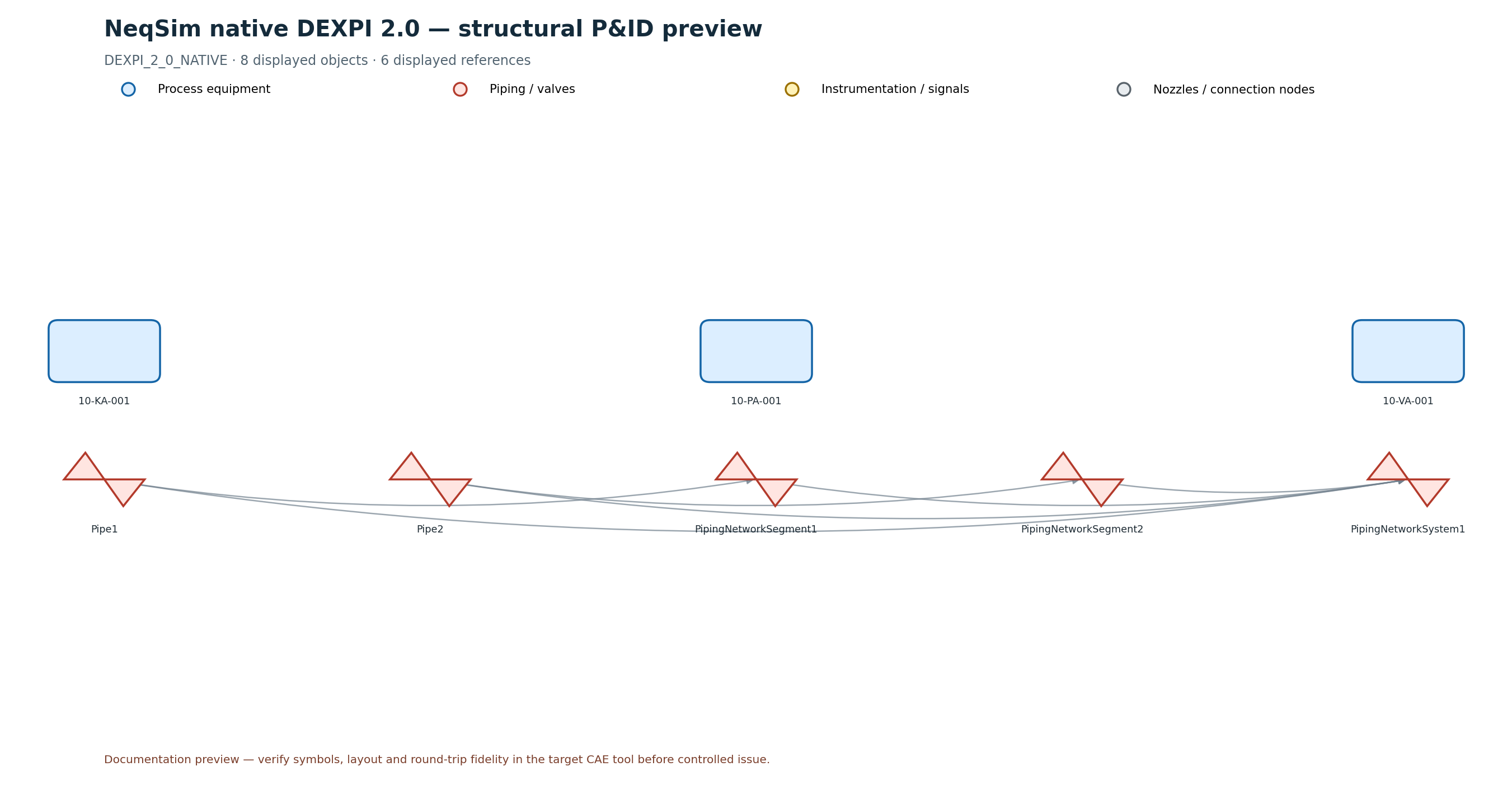
The preview contracts hidden nozzle/connection nodes and visualizes resolved DEXPI references. It is useful for
topology review and automated documentation, but it is not evidence of symbol or layout fidelity in a commercial CAE
system. The package therefore keeps commercial qualification at QUALIFICATION_REQUIRED until named product/version,
import, vendor export and accountable difference-review evidence are attached.
ProcessModel and area documents
A ProcessModel should normally create one engineering project and DEXPI document per process area:
List<EngineeringProject> areas = NorsokOffshoreEngineeringBuilder
    .fromProcessModel("Integrated facility", processModel, true);

for (EngineeringProject area : areas) {
  Path areaOutput = Paths.get("build/engineering-package")
      .resolve(area.getProcessSystem().getName());
  EngineeringDeliverableCompiler.compile(area, areaOutput);
}
This retains DEXPI document boundaries while preserving shared stream tags for plant-level reconciliation. Area/package fingerprints make it possible to detect changes without regenerating unrelated areas.
Notebook learning path
dexpi_engineering_full_processsystem.ipynbbuilds a simulation-backed package with equipment design, relief, SIL/voting, shutdown, blowdown/flare, materials, compressor maps and readiness plots.dexpi_engineering_processmodel.ipynbdemonstrates multi-area engineering packages and discipline/readiness comparisons.dexpi_pid_visualization.ipynbreads native DEXPI or Proteus XML, inspects identities/references and produces PNG/SVG P&ID previews.
Verification checklist
Before requesting engineering review:
- run the process and all required design cases successfully;
- inspect every required-case failure and metric limit violation;
- confirm calculation DAG readiness and standards editions/clauses;
- resolve blocking graph, schema, reference and unit findings;
- review discipline data gaps rather than treating generated rows as approved datasheets;
- confirm DEXPI native semantic validation and internal round-trip status;
- perform the target CAE import/export qualification for controlled exchange;
- compare against the previous graph revision and revalidate impacted approvals;
- retain
REVIEW_REQUIREDuntil accountable engineering decisions are recorded.
Automated tests
The core workflow is covered by EngineeringCompilerFoundationTest, including design cases, calculation cycles,
topology, schemas, registers, approval invalidation, DEXPI round-trip qualification and automation plans. The
dependency-light renderer is covered by devtools/test_render_engineering_pid.py using the controlled native DEXPI 2.0
golden fixture and a Proteus connection fixture. Documentation completeness and executed-notebook state are covered by
devtools/test_engineering_documentation.py. Run the focused checks with:
./mvnw -Dtest=EngineeringCompilerFoundationTest test
uv run --project devtools --locked --group test python -m unittest devtools.test_render_engineering_pid devtools.test_engineering_documentation -v
uv run --project devtools --locked devtools/verify_notebooks.py examples/notebooks/dexpi_pid_visualization.ipynb
For package release, also run the repository pre-commit hooks and the complete Maven test/Javadoc matrix.