Note
Go to the end to download the full example code.
Plot an Arps curve
Shows how to plot curves.
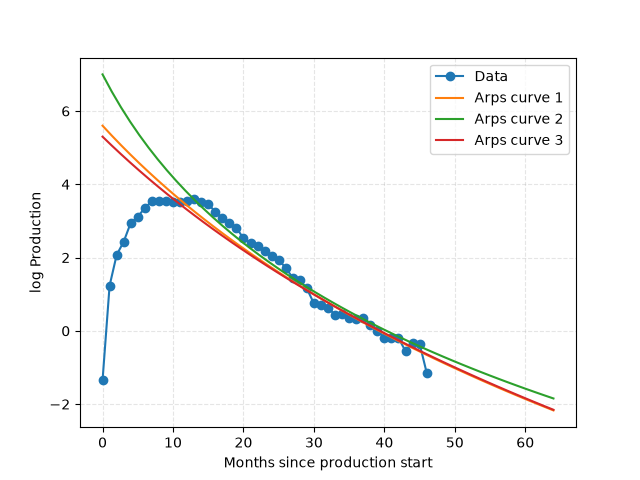
import matplotlib.pyplot as plt
import numpy as np

from dca.datasets import load_monthly_sodir_production
from dca.decline_curve_analysis import Arps

# Load data to plot
df = (
    load_monthly_sodir_production()
    .loc[lambda df: df["prfInformationCarrier"] == "STATFJORD", :]
    .groupby("prfYear")["prfPrdOilNetMillSm3"]
    .sum()
)


x = df.index - df.index.min()
y = np.log(df.values)  # Take log of production
plt.plot(x, y, "-o", label="Data")

# Plot a few log-curves
x = np.linspace(0, 64)  # Evaluation grid

curve = Arps(7.3, 1.7, -1.9)
plt.plot(x, curve.eval_log(x), label="Arps curve 1")

curve = Arps(8.2, 1.2, -1.4)
plt.plot(x, curve.eval_log(x), label="Arps curve 2")

curve = Arps(7.1, 1.8, -2)
plt.plot(x, curve.eval_log(x), label="Arps curve 3")


plt.xlabel("Months since production start")
plt.ylabel("log Production")
plt.grid(True, ls="--", alpha=0.33)
plt.legend()
plt.show()
Total running time of the script: (0 minutes 0.503 seconds)